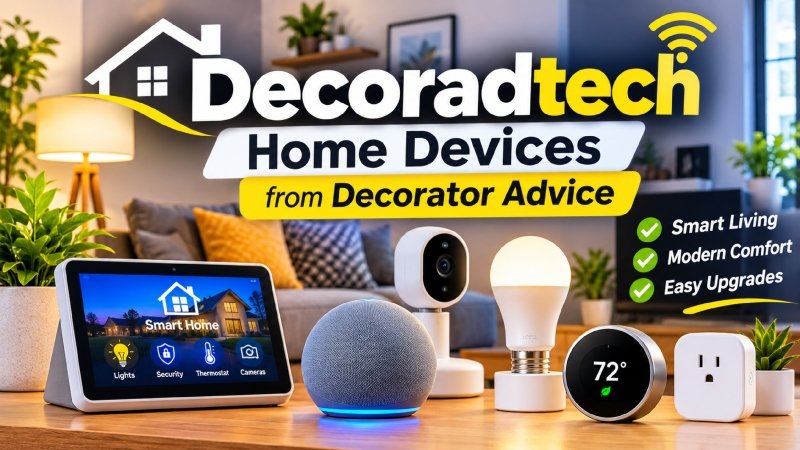
If you searched for “Decoradtech home devices from Decorator Advice,” you are probably asking one of two things: what are they, and where do I buy them? Decoradtech is not a verified device brand. It is an informal term for smart home technology chosen and placed to look good in a room, such as a lamp that is also a smart light, a TV that displays art, or a speaker that reads as a decor piece. Online articles credited to Decorator Advice use the term this way. This guide explains the idea and shows which device types work best. It also covers how to avoid the clutter that smart gadgets often create.
What “Decoradtech Home Devices” Actually Means
A decoradtech device has two jobs: it does something useful, and it looks like it belongs. Most smart gadgets fail the second test. White plastic hubs, tangled cords, and glowing status lights are common complaints.
The idea rests on a simple rule. Pick technology for what it does, then pick the version that suits your style, or hide it. Tech should support the room’s design and not become the focal point.
Why Search Results for This Keyword Can Be Confusing
The phrase Decoradtech home devices from Decorator Advice is used loosely, mostly on blogs, so you will find overlapping advice and few official sources. Be cautious with:
- Brand claims. Don’t assume a site named in the keyword sells the devices.
- Exact product promises. Features and prices change often. Check the manufacturer’s page before buying.
- Generic “ultimate guides.” Some repeat the same device lists without testing anything.
Established home and design publications, plus manufacturer spec pages, are better sources for specific products.
The Main Types of Decor-Friendly Smart Devices
Smart Lighting
Lighting is the easiest place to start because it changes how a room looks and feels. Smart bulbs and lamps let you adjust brightness and color temperature, from warm in the evening to cooler for daytime tasks. Install them in your existing lamps and light fixtures that you already enjoy using. Look at lamps designed to be smart from the start, so there is no ugly add-on.
Art-Style Displays
Some televisions and digital frames show artwork or photos when you aren’t watching. Samsung’s The Frame is a well-known example. A matte screen with a frame-like bezel looks more like wall art than a black rectangle. Placement matters: hang one where it won’t catch glare from a window.
Smart Speakers and Audio
Speakers now come in fabric, wood, and neutral finishes. If you want voice control, choose one that matches your palette or sits on a shelf where it blends with books and objects. Skip placing one where its cord will show.
Thermostats and Climate Devices
Smart thermostats are among the most practical upgrades because they are visible on a wall in a main hallway. Look at finish and shape as well as features. A round or minimalist unit in a neutral tone looks calmer than a bulky panel.
Security and Entry Devices
Video doorbells and smart locks sit at the front of your home, so they affect curb appeal. Choose finishes that match your door hardware, such as matte black, brushed nickel, or bronze. Test the view angle and Wi-Fi strength before you install, because a doorbell that looks great but drops its connection isn’t helpful.
Smart Shades and Window Treatments
Motorized shades combine function and decor well. They can open on a schedule, help with privacy, and cut heat from direct sun. They cost more than most devices on this list, so many people add them in one room first.
Comparing the Options
| Device type | Decor impact | Ease of setup | Best starting room |
| Smart bulbs/lamps | Low visual change, high mood effect | Easy | Living room, bedroom |
| Art-style displays | High (becomes a wall feature) | Moderate | Living room |
| Smart speakers | Low to moderate | Easy | Kitchen, shelves |
| Smart thermostats | Moderate (wall-mounted) | Moderate | Hallway |
| Video doorbells/locks | Moderate (exterior) | Moderate | Entry |
| Smart shades | High (changes window look) | Harder | Bedroom, living room |
How to Choose Devices That Fit Your Style
Start with what you need. Before buying anything linked to Decoradtech home devices from Decorator Advice, list the daily frustrations you want to fix, such as turning off lights, controlling temperature, or knowing who is at the door. Buy for those, not for novelty.
Match finishes. Decide on a metal tone or color family and keep devices consistent. A few well-matched devices look intentional.
Check compatibility first. Look for support for Matter, an interoperability standard from the Connectivity Standards Alliance, and for your preferred ecosystem (Apple Home, Google Home, Amazon Alexa). Devices that work together are easier to manage and less likely to need replacing.
Think about scale. Large screens and speakers may take up too much space and make a small room feel crowded. Measure before you buy.
Hiding the Tech You Can’t Make Pretty
Not every device looks good. Hubs, routers, and charging stations are usually better hidden.
- Place them in a closed cabinet with a ventilated back panel so heat can escape.
- Use cable channels or paintable cord covers along walls.
- Put small devices in decorative baskets or trays on shelves where airflow isn’t blocked.
Leave space around anything that produces heat, and avoid covering sensors, which need a clear line of sight to work.
Practical Setup Example: A Living Room Refresh
Say you have a medium living room with a sofa, a TV wall, and one corner lamp.
- Swap the lamp’s regular bulb for a smart one and adjust its settings to create a cozy, warm atmosphere in the evening.
- Swap the old TV for an art-style display, or add a frame and use a mounted TV’s art mode if it has one.
- Put a fabric-finish speaker on a bookshelf.
- Move the router and cable box into a ventilated media cabinet.
That is four changes, and none requires renovation. You can do them in stages as budget allows.
Privacy and Security Basics
Cameras, microphones, and doorbells collect personal data, so treat them as seriously as any connected device.
- Create a unique, hard-to-guess password and enable two-step verification to keep your account secure.
- Update firmware when manufacturers release updates.
- Check the information your smart devices collect and understand how and where that data is saved.
- If your router supports it, connect smart home devices to a separate or guest Wi-Fi network for added security.
Budget and Planning Tips
Buy in phases. Smart lighting and a speaker cost far less than shades or a premium display, and they show you whether you will really use the features. Read return policies, since devices that look good online may not suit your room. Prices and models change quickly, so compare current listings before buying.
Frequently Asked Questions
What are Decoradtech home devices?
Decoradtech home devices from Decorator Advice describes smart home devices selected or placed to match a home’s decor. It is an informal label, not a verified product line.
Does Decorator Advice sell Decoradtech devices?
I couldn’t verify that it does. Articles online use the phrase “Decoradtech smart home ideas by Decorator Advice,” but these are content pages, and I found no official device catalog. Check any site’s store pages and policies before ordering.
Which smart device should I buy first?
Smart lighting is a common first step because it is affordable, simple to install, and changes how a room feels right away.
Will smart devices work together if they come from different brands?
Often, if they support the same standard or ecosystem. Look for Matter support and compatibility with your voice assistant before buying.
How can I stop smart devices from looking cluttered?
Choose neutral finishes, hide hubs and routers in ventilated cabinets, and manage cords with channels or covers. Fewer, better-chosen devices usually look cleaner than many cheap ones.
Are smart home devices safe for privacy?
They can be, with sensible settings. Use strong passwords, keep software updated, and review camera and microphone permissions.
Conclusion
“Decoradtech home devices” is best understood as a design approach, not a brand: choose smart technology that does a real job, then pick finishes and placements that suit your room. Start with one or two devices, check compatibility, hide what you can’t make attractive, and expand slowly. That gives you a connected home that still looks like yours.
visit for more details.